Here’s how to embed eduForms in WordPress using the eduForms Online Forms plugin.
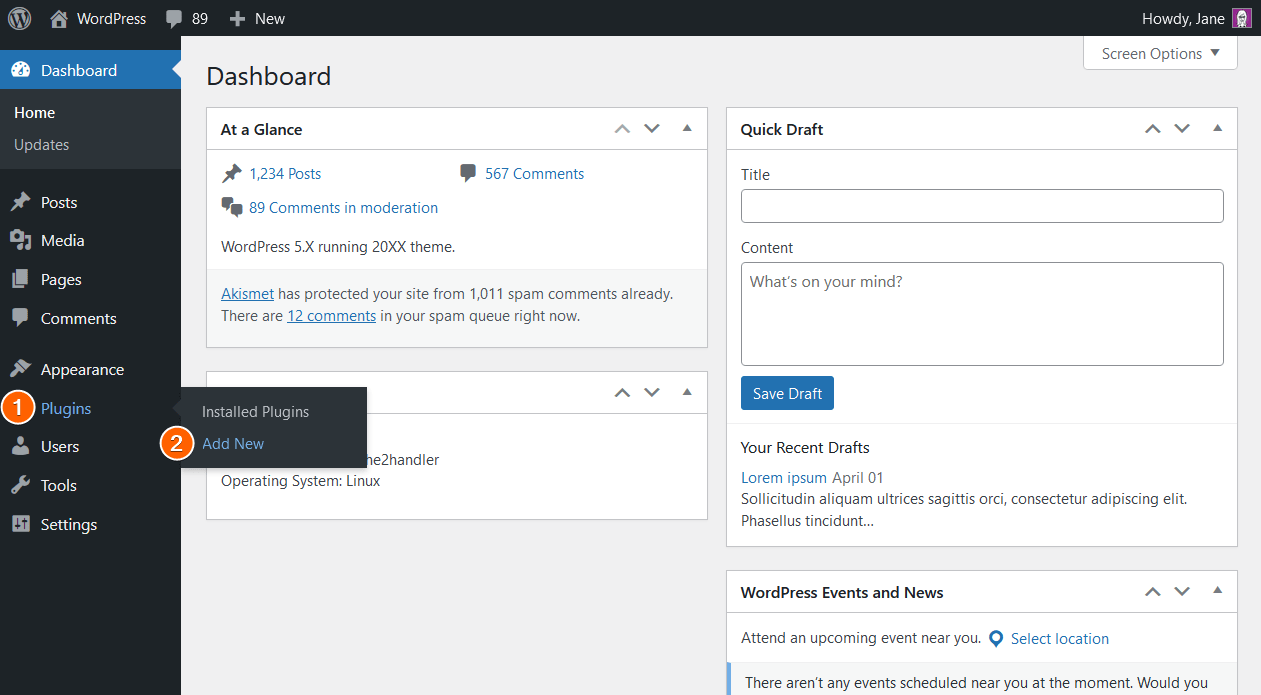
- Log in to your WordPress admin dashboard.
- Hover on the Plugins menu.
- Click Add New.
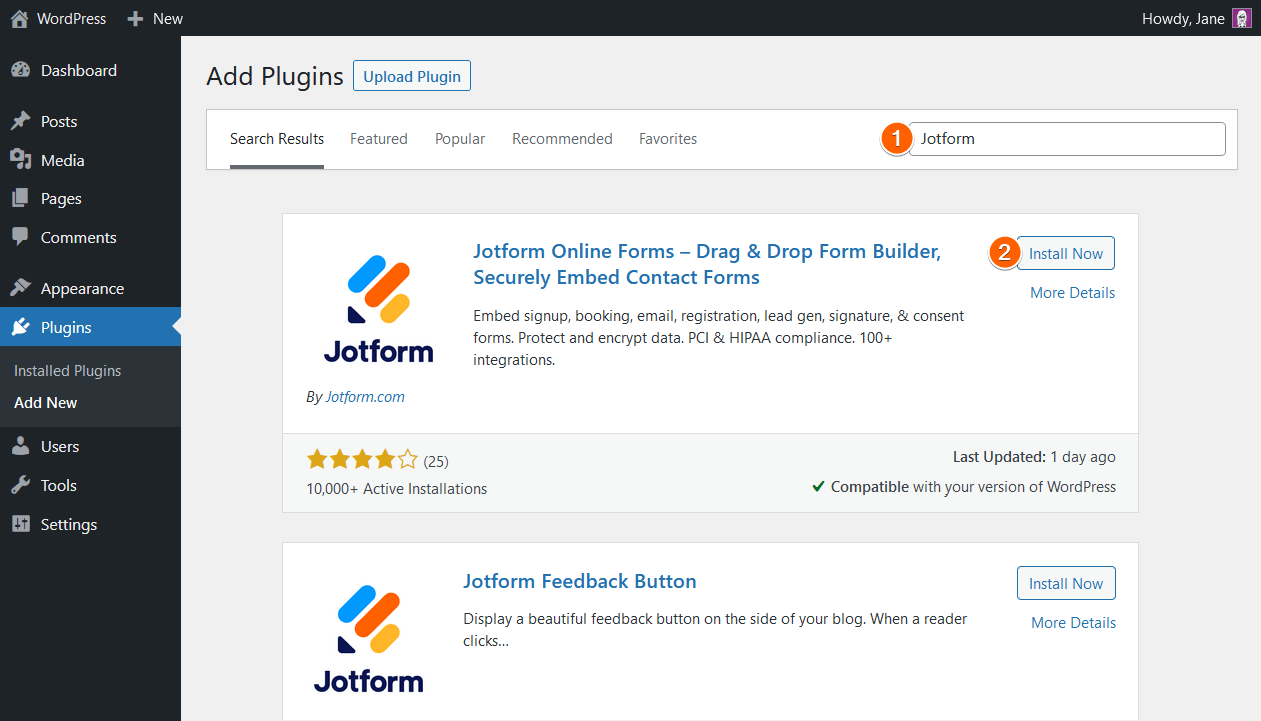
- Search for “Jotform”.
- Install and activate the Jotform Online Forms plugin.
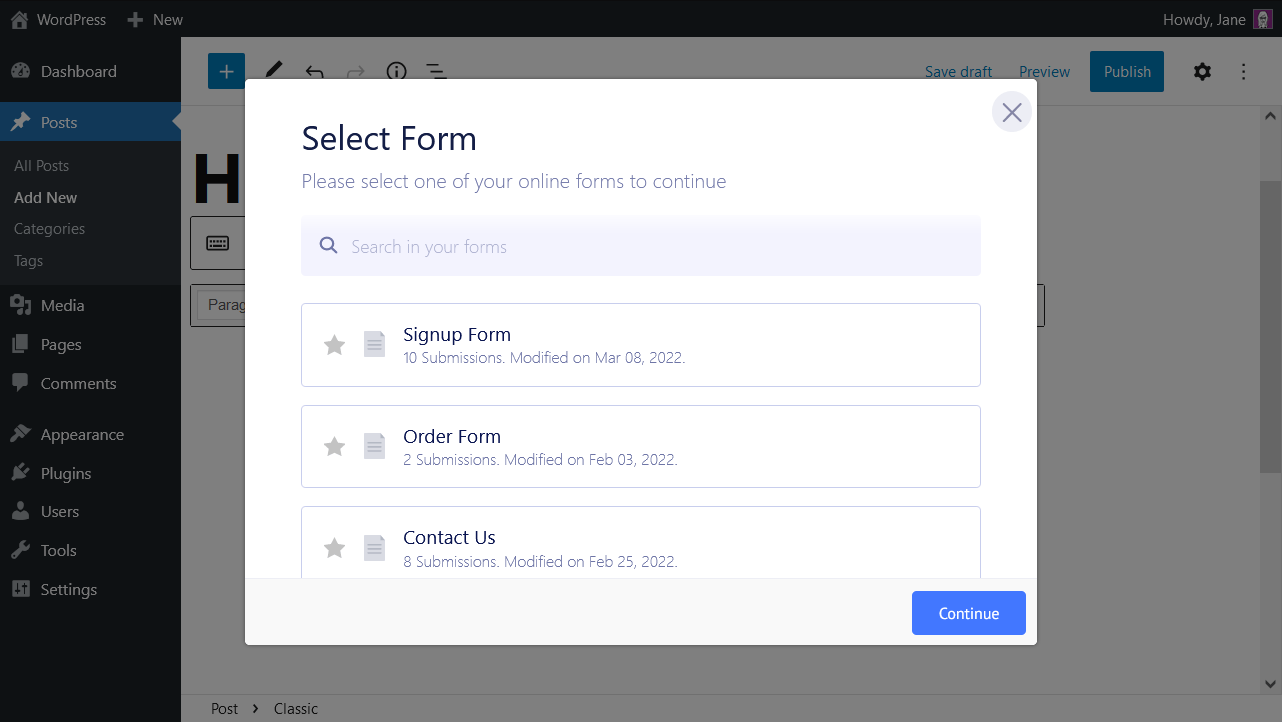
- Whenever you edit a post or page, you’ll see a Jotform icon in the formatting toolbar of the classic WordPress editor.

- Log in to your eduForms account.
- Click the Jotform icon in the classic WordPress editor to open the form picker where you can select your forms from Jotform.
That’s all. If you have any questions, please post them below.